













You spent time and money building a solid B2B contact database. Your CRM looks healthy. The numbers are there. But here is the uncomfortable truth. A big chunk of that data is already outdated, and it is costing you more than you think.
Data decay is not a future problem. It is happening right now, quietly, in the background. And most B2B teams do not realize how serious it is until they are dealing with bounced emails, dead phone numbers, and sales reps chasing contacts who left their companies six months ago.
This blog breaks down what data decay actually means, why it happens, what it costs, and what you can do about it.
What Is Data Decay?
A mid-sized SaaS company selling project management software to enterprise clients across North America had their sales team running an aggressive outbound campaign. 8,000 contacts in the CRM, a dedicated SDR team of six, and a solid email sequence in place.
Three months into the campaign, the numbers looked off. Open rates had dropped. Bounce rates were climbing past 6%. SDRs were logging calls but getting nowhere. Most of these were wrong numbers, full voicemail boxes, and auto-replies saying the person no longer worked there.
When they audited the database, the problem became clear. Their contact list had not been refreshed in over eighteen months. Nearly 2,400 records, which was about 30% of the database, had some form of inaccuracy.
Wrong titles, defunct email addresses, contacts who had moved to entirely different companies. One of their top target accounts had gone through a merger and no longer existed in its original form.
The SDR team had spent three months working a list that was, effectively, one-third broken. The campaign budget was not wasted on bad strategy. It was wasted on bad data.
This is data decay in action. And this is not an outlier — this is a pattern that plays out across B2B sales and marketing teams every day.
Data decay refers to the gradual degradation of data quality over time. In a B2B context, this means contact records that were once accurate — name, title, email, phone, company — slowly become wrong.
People change jobs. Companies get acquired. Titles shift. Phone numbers change. Email addresses go dark. None of this happens because someone made a mistake. It just happens. And your database does not automatically know about it.
The result is a B2B contact database that looks full on the surface but is riddled with inaccuracies underneath.
Key Takeaway
Data decay is the natural process of contact and company information becoming outdated over time. It is passive, ongoing, and unavoidable without active management.
How Fast Does B2B Data Actually Decay?
Faster than most people assume.
According to industry research on B2B data quality, data decays at a rate of about 30% per year. That means if you have a database of 50,000 contacts, roughly 15,000 of those records will become inaccurate within twelve months.
HubSpot research indicates that 25% of B2B email addresses go invalid each year. People switch jobs every two to three years on average, which means job titles and company affiliations churn constantly.
LinkedIn data supports this too. The average professional tenure at a company has been declining steadily. When someone leaves, their old email stops working, their direct line often gets reassigned, and the person who now holds that title is someone your team has never contacted.
So, the clock is always running.
Key Takeaway
B2B data decays at roughly 30% annually. For most mid-to-large databases, that translates to tens of thousands of inaccurate records every single year.
Why Does Data Decay Happen? The Main Causes
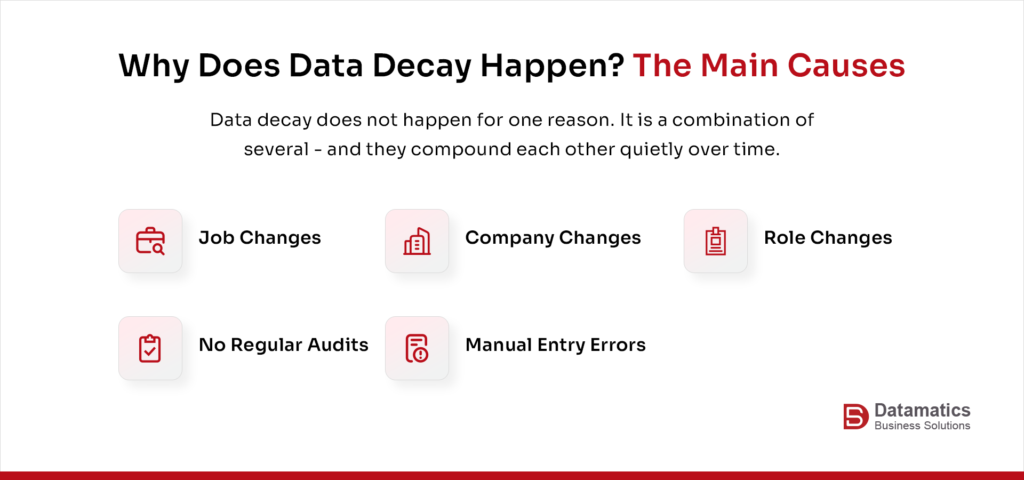
It helps to understand the mechanics. Data decay does not happen for one reason. It is a combination of several.
Job changes are the biggest driver. When someone leaves a company, their email address and phone number typically become inactive. Their replacement may not even exist in your database.
Company changes — mergers, acquisitions, rebranding, and shutdowns — wipe out large segments of data all at once. A contact list built around a company that just got acquired may be largely useless.
Role changes affect relevance. A contact who was a Marketing Director is now a VP. The relationship may still exist, but the targeting logic in your CRM no longer reflects their actual authority or responsibilities.
Manual data entry errors compound the problem. If data goes in wrong, it decays faster. Little things like typos, duplicate records, and incomplete entries can snowball into something big. These can create noise that is hard to clean later.
Lack of regular audits means small errors compound over time. Teams that do not run periodic data hygiene checks end up with databases that grow in size but shrink in actual value.
Key Takeaway
Data decay is driven by real-world changes — job shifts, company moves, role transitions — combined with internal gaps in how data is captured and maintained.
What Does Poor Data Quality Actually Cost You?
This is where it gets tangible.
Gartner has estimated that poor data quality costs organizations an average of $12.9 million per year. For B2B companies running active outreach, the cost shows up in very specific ways.
Sales teams waste time. When a rep calls a number that is disconnected or emails a person who left the company, that is time that cannot be recovered. At scale, this becomes a significant drain on productivity.
Marketing campaigns underperform. Email bounce rates go up, deliverability scores drop, and your sender reputation takes a hit. That means even your good, valid contacts may not receive your emails because your domain is flagged.
Pipeline reporting becomes unreliable. When CRM data is messy, leadership cannot trust the numbers. Forecasts are off. Territory planning is based on inaccurate information.
Compliance risk increases. Depending on your region and industry, holding outdated or incorrect contact data can create GDPR and privacy-related complications.
The bottom line? Poor data quality is not just an operational inconvenience. It is a revenue problem.
Key Takeaway
The cost of poor data quality goes beyond wasted effort — it affects deliverability, pipeline accuracy, and in some cases, legal compliance.
How Does Data Decay Affect B2B Marketing and Sales Specifically?
B2B demand generation runs on contact data. The quality of your outreach is directly tied to the quality of your B2B data management practices.
When you are running account-based marketing, inaccurate data can mean you are targeting the wrong people at the right companies, or worse, the right people at companies that are no longer relevant to your ICP. Neither scenario produces results.
For SDRs doing outbound prospecting, working through a decayed list is demoralizing and slow. They burn through sequences on contacts that do not exist, which skews engagement metrics and makes it harder to identify what is actually working.
For marketing automation workflows, stale data creates segmentation errors. You end up sending mid-funnel content to people who have not engaged in eighteen months or top-of-funnel nurture sequences to someone who has already spoken to sales.
The more tightly your go-to-market motion depends on data precision — as it does in ABM, intent-based targeting, and personalized outreach — the more data decay directly undermines results.
Key Takeaway
In precision-driven B2B marketing, data decay does not just reduce efficiency — it actively misleads your targeting and makes measurement unreliable.
You can also read: The Battle Against Data Decay & Tips to Combat It
Data Quality Best Practices: How to Slow Down Data Decay
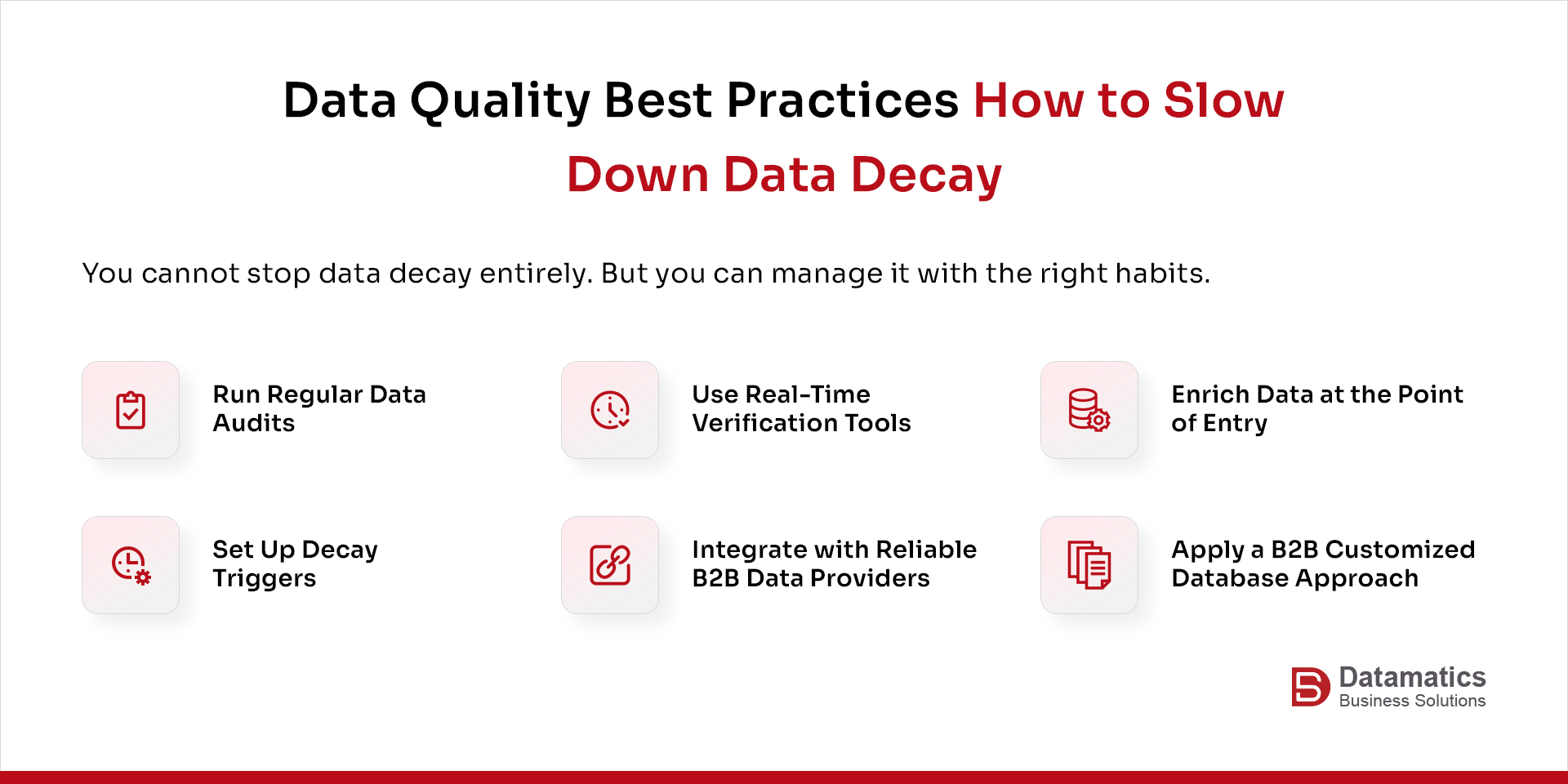
You cannot stop data decay entirely. But you can manage it with the right habits.
- Run regular data audits. Set a schedule — quarterly at minimum — to review your database for bounces, duplicates, and records that have not been touched in over a year. Clean as you go.
- Use real-time verification tools. Email verification and phone validation tools can flag bad records before they enter your system. Prevention is easier than cleanup.
- Enrich data at the point of entry. When someone fills out a form or a rep adds a contact manually, use enrichment tools to auto-fill and validate company, title, and contact information from reliable sources.
- Set up decay triggers. Many CRM platforms allow you to flag records that have gone untouched for a set period. Use this to trigger re-verification or suppression workflows.
- Integrate with reliable B2B data providers. Platforms that continuously monitor and update company and contact information are worth the investment. They reduce the burden of manual maintenance and keep your database closer to current.
- Apply a B2B Customize Database approach. Rather than pulling generic bulk lists, build or maintain a customized, targeted database that reflects your actual ICP. Smaller, cleaner, and more relevant always outperforms large and messy.
Key Takeaway
Data quality best practices are not one-time fixes. They are ongoing habits — regular audits, real-time verification, and smart enrichment built into your process.
What to Look for in B2B Data Providers?
Not all data providers are the same, and the gap in quality matters.
When you are evaluating B2B data providers, ask these questions:
- How frequently is the data refreshed?
- What is the source of the data — is it self-reported, scraped, or verified?
- What is their average accuracy rate?
- How do they define accuracy?
- Do they offer a B2B Customize Database option so you are not paying for contacts outside your ICP?
The best providers do not just sell records. They maintain them. They use a combination of human verification and automated monitoring to flag job changes, company updates, and contact status shifts.
They also offer segmentation and filtering options that let you target by industry, company size, geography, seniority level, and buying intent.
There are established players in the B2B data services space, and the right choice depends on your geography, industry focus, and ICP specifics. Do your due diligence. Ask for sample data sets, check their refresh frequency documentation, and if possible, run a small pilot before committing to a full contract.
The point is that sourcing data from a provider is not a set-it-and-forget-it decision. You need a partner who is actively maintaining what they sell you.
Key Takeaway
When choosing B2B data providers, prioritize refresh frequency and verification methodology over volume. A smaller, cleaner dataset outperforms a large, stale one every time.
How Datamatics Business Solutions Helps You Fight Data Decay?
Datamatics Business Solutions works with B2B companies that are dealing with exactly this data decay problem.
Our data services practice focuses on building and maintaining B2B contact databases that are accurate, segmented, and aligned to your actual buyer profile. This is not just list-building. It includes ongoing data hygiene like identifying outdated records, verifying contact information, and refreshing data at regular intervals so your team is always working from current information.
For companies running account-based marketing or intent-based outreach, we offer a B2B customize database service where the contact list is built to your specific ICP. This reduces noise and keeps your outreach relevant.
Our B2B data management process includes deduplication, standardization, enrichment, and verification; all applied systematically so your CRM reflects reality, not history.
The business outcome is straightforward: better deliverability, more accurate targeting, higher connect rates, and sales teams that spend their time on real opportunities rather than chasing dead ends.
We do not just hand over a file. We build a process that keeps data healthy over time.
Want to learn more about our B2B data services? Get in touch with our experts for a detailed walkthrough of our services.
To Conclude
Data decay is not dramatic. It does not send an alert or throw an error. It just quietly degrades your database until your team is burning time on dead-end outreach and your pipeline numbers stop making sense.
The good news is that it is manageable. Regular audits, clean data at the point of entry, verified contacts, and a database built around your actual ICP — none of these are complex. But they do require consistency.
Your CRM is only as reliable as the last time someone checked it. Make that a habit, not an afterthought.
Get insightful blogs delivered straight to your inbox. Subscribe to our newsletter.
FAQ: Data Decay in B2B Databases
1. What is the typical rate of data decay for B2B contact databases?
Most research puts it at around 25–30% per year, a figure consistently supported across multiple industry studies on B2B data quality. For a database of any significant size, that is a large number of records going bad every year.
2.How do I know if my database has significant data decay?
Look at your email bounce rates, unsubscribe trends, and CRM engagement data. If bounce rates are above 2–3%, if engagement has dropped without an obvious cause, or if a large portion of your records have not been updated in over a year, data decay is likely a factor.
3. Is it better to clean existing data or buy a new list?
It depends on your situation. If your existing data has strategic value — warm contacts, past customers, engaged accounts — clean it. If large portions of the database have never engaged and are significantly outdated, a targeted new list built to your ICP is often more practical.
4. How often should B2B companies run a data audit?
At minimum, quarterly. For high-velocity sales teams doing continuous outbound, monthly or even real-time verification through integrated tools is worth the investment.
5.Does data decay affect CRM tools specifically?
Yes. CRM platforms only know what you tell them. They do not automatically update when a contact changes jobs or a company gets acquired. Without an active data management process or an integrated data provider, CRM data decays at the same rate as any other database.
6. What is the connection between data decay and email deliverability?
High bounce rates from invalid or inactive email addresses signal to email service providers that your list is not well-maintained. This can hurt your sender reputation and cause your emails to land in spam — even for valid contacts on your list.

Carly Jaspan