


Your CRM looks full. Your dashboards look healthy. And yet your team keeps dialing people who left their jobs six months ago, emailing addresses that bounce, and chasing accounts that got acquired last spring. Here’s the uncomfortable part: a database that looks complete on screen can be quietly rotting underneath. The question isn’t whether your records are decaying, because they are.
The real question is whether the decay has crossed the line where data cleansing services stop being optional and start being urgent.
The pipeline looks fine on paper, so why isn't it converting?
Most revenue leaders at US B2B companies don’t discover a data problem. They discover a conversion problem, then trace it back to data weeks later. That lag is the whole issue.
The evidence is hard to ignore. Validity’s 2025 State of CRM Data Management report found that 37% of CRM users lost revenue directly due to poor data quality, and companies lose an average of 16 sales opportunities per quarter from unreliable data. Sixteen deals a quarter is sixty-four a year. That’s not a rounding error. That’s a pipeline hole nobody put on a budget line.
There’s a deeper finding worth sitting with. Validity reported that 90% of organizations recognize CRM data as the cornerstone of their operations, yet 76% said less than half of their organization’s CRM data is accurate and complete.
Here’s the honest caveat, though: not every conversion problem is a decay problem. Data quality is everyone’s problem and nobody’s job. RevOps doesn’t have time for continuous cleanup. Sales doesn’t update records they don’t trust. Marketing doesn’t want to suppress contacts that might convert. That’s governance, not hygiene. A one-time cleanse won’t fix a system with no owner. So as you read the eight signs below, ask a second question each time: is this decay, or is it a process gap that cleansing alone can’t repair?
Sign 1: Your email bounce rates are creeping up quarter over quarter
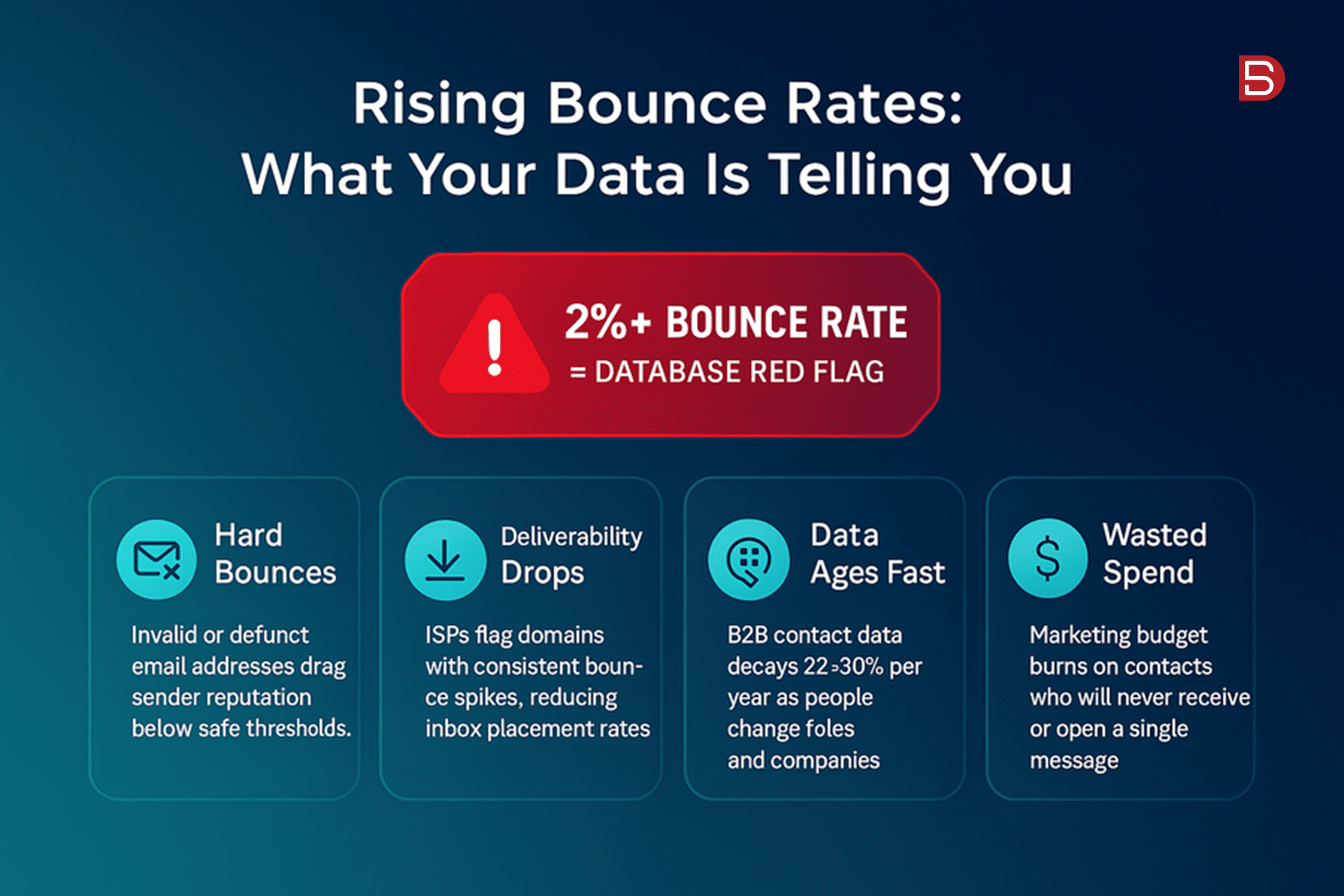
Watch the trend line, not the single number. You were at 1.2% in Q1. Now you’re brushing 3.5% in Q3, and nobody changed the sending setup. That’s not a deliverability glitch. That’s your list decaying past the safe threshold.
The math behind it is relentless. Email decay has been accelerating. Landbase found that email decay hit 3.6% per month in November 2024, nearly double the traditional rate. Every dead address you keep mailing chips away at something you can’t easily rebuild: sender reputation.
That’s where the real damage compounds. Google’s 2024 Sender Guidelines require bulk senders to maintain a spam complaint rate below 0.30%, with a recommended operating target below 0.10%. Blow past that and your good emails start landing in spam too.
Here’s the catch, and it’s a big one: a one-time cleanse won’t help if you keep importing unverified lists behind it. Clean the database today, dump 5,000 scraped trade show contacts tomorrow, and you’re right back where you started. B2B data cleansing works as a repeatable practice, not a single event. If your inbound intake has no validation at the point of entry, fix that first, or you’ll be paying to clean the same mess on a loop.
Sign 2: Reps spend more time fixing records than selling
Ask your best AE how much of the week goes to data janitorial work. The answer usually stings.
Put a number on it. ZoomInfo reports that US sales reps spend 27.3% of their time dealing with inaccurate data. That is 546 hours per rep per year, more than 13 full working weeks, spent chasing wrong numbers, updating stale records, and verifying information that should already be correct. Multiply that across a team and the cost gets loud fast.
The scale is worth spelling out. Across 20 reps, that is 10,920 hours annually. At a typical US blended cost of $75/hour, you are burning $819,000 per year on data janitorial work. That’s roughly the fully loaded cost of several headcount, spent on cleanup instead of quota.
Now the honest tradeoff. Sometimes the fix isn’t outsourced cleansing at all, it’s data entry discipline. This is not a training problem. It is a systems problem. If data entry is a manual, after-the-fact task that competes with quota-carrying activity, it will always lose.
So before you scope a cleanse, ask whether the records are decaying or whether they were never captured cleanly in the first place. If reps are re-keying the same fields every week because intake is broken, an external pass buys you a temporary reset, not a cure. Pair the two. That’s where the hours actually come back.
Sign 3: Duplicate records are quietly inflating your numbers
Duplicates are the decay nobody notices, because nothing looks wrong. Every record seems complete. The system has just drifted from reality.
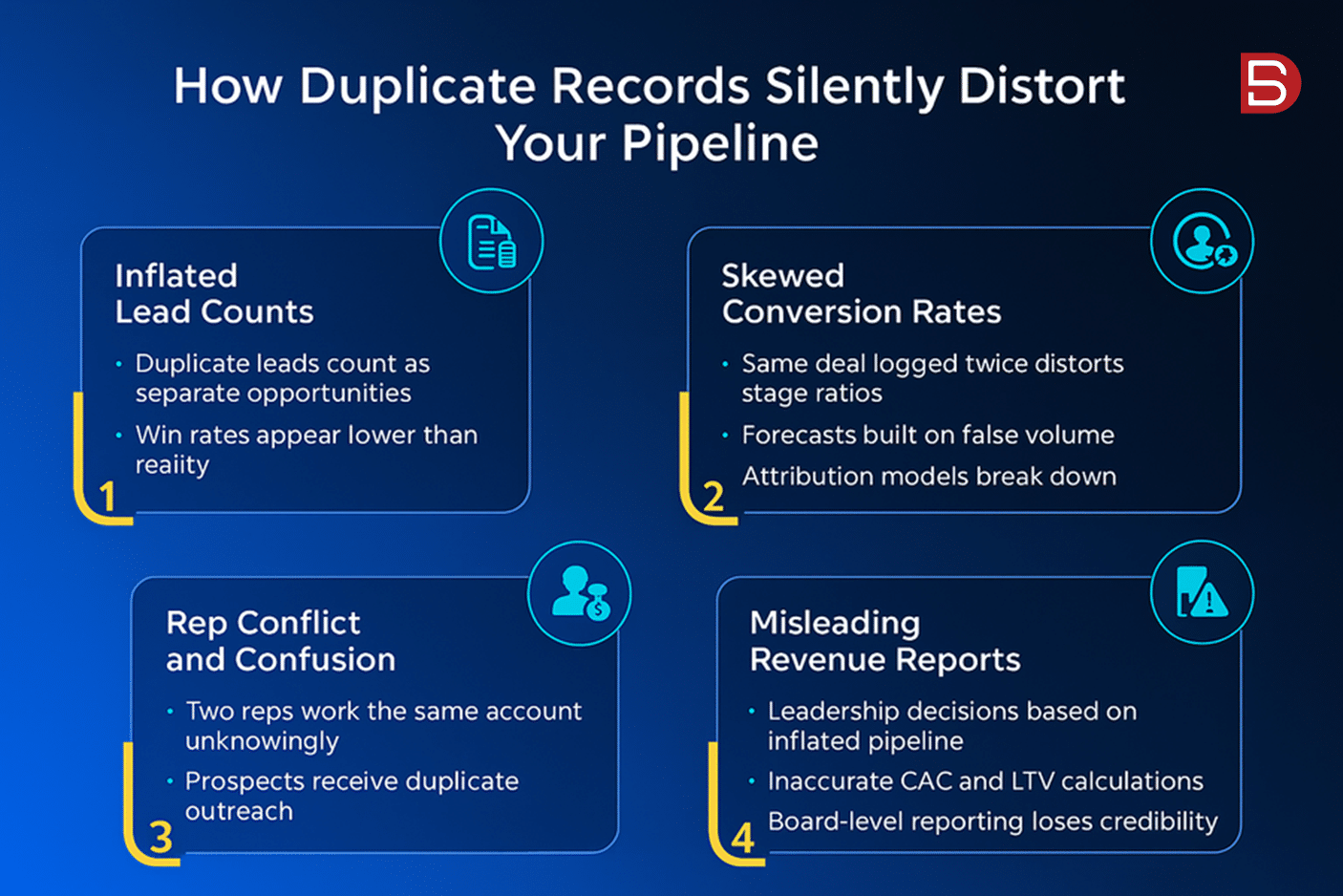
The mechanism is familiar. The same contact registers twice, once with a work email, once personal. Your headcount inflates, your sponsor reporting drifts, and follow-up sequences double-hit the same person. Multiply that across years of imports and your “reachable audience” is partly fiction.
It gets worse at the account level. Mechanical decay happens when systems damage the data they are supposed to manage. Failed integrations, poor CRM migrations, rushed imports, and inconsistent field mapping can all create errors that spread across the revenue stack. This is where phone numbers appear in email fields, customer notes attach to the wrong account, and records duplicate.
Deduplication restores accurate counts and clean lead routing. Two contacts merge into one, territory assignment stops misfiring, and your pipeline number finally reflects real opportunities instead of ghosts.
Here’s the tradeoff, and it’s the one careless vendors ignore: aggressive merging destroys legitimate records if the match rules aren’t tuned carefully. Two different people named “J. Martinez” at the same parent company are not a duplicate. Merge them and you’ve just deleted a real buyer. Good crm data cleansing services treat match logic as a decision, not a default. The downside of getting it wrong is permanent data loss, so the human review layer matters more here than almost anywhere else.
Sign 4: Your AI and scoring tools keep surfacing the wrong accounts
If your shiny new AI scoring model keeps flagging accounts that went quiet or contacts who left, don’t blame the model first. Look at what you fed it.
The disconnect is now measurable. 45% of US companies’ CRM data isn’t prepared for AI, despite 29% of respondents at the VP-level or above feeling pressure to use AI, and 54% of organizations are already deploying generative AI tools. That’s a lot of sophisticated tooling built on a shaky base.
Here’s the thing about AI: it doesn’t fix bad inputs, it multiplies them. AI is an amplifier. Feed it good data, and it amplifies good decisions, better targeting, sharper personalization. Feed it decayed data, and it amplifies bad decisions at machine speed and machine scale.
What that looks like in practice is ugly and fast. Lead scoring ranks stale contacts as “high priority” because the fields look complete, AI-powered sequences automate outreach to contacts who will never respond, and intent signals misfire because the underlying account data no longer matches reality. A human sending one bad email wastes one touch. An agent doing it wastes thousands before anyone notices.
So bad scoring is often a data symptom, not a model failure. But be honest about the reverse, too: clean data won’t rescue a poorly designed model. If your scoring logic weights the wrong signals or your ICP definition is muddy, pristine records just help you rank the wrong accounts more confidently. Cleansing is necessary here. It’s rarely sufficient on its own.
Sign 5: Every team reports different numbers from the same system
Sales says the pipeline holds 4,000 accounts. Marketing counts 3,200. Finance pulls a third number entirely. Same system, three answers. That’s not a math problem, it’s a data quality problem.
Inconsistent field formatting is usually the culprit. When one team enters “VP, Marketing” and another logs “Vice President of Marketing,” your filters miss records, your counts drift, and trust in reporting quietly erodes. This is the logical decay problem in action: the data is clean on the surface, it’s simply pointing your team in the wrong direction.
B2B data cleansing standardizes those fields so a single query returns a single truth. The tradeoff, and it’s a real one: standardization projects stall without a defined data owner. Someone has to set the naming rules and enforce them. Tools normalize what already exists, but they don’t decide who’s accountable for keeping it that way. Assign that owner before you start, or you’ll be re-standardizing in six months.
How to decide: a quick self-audit and what a b2b data cleansing partner actually does
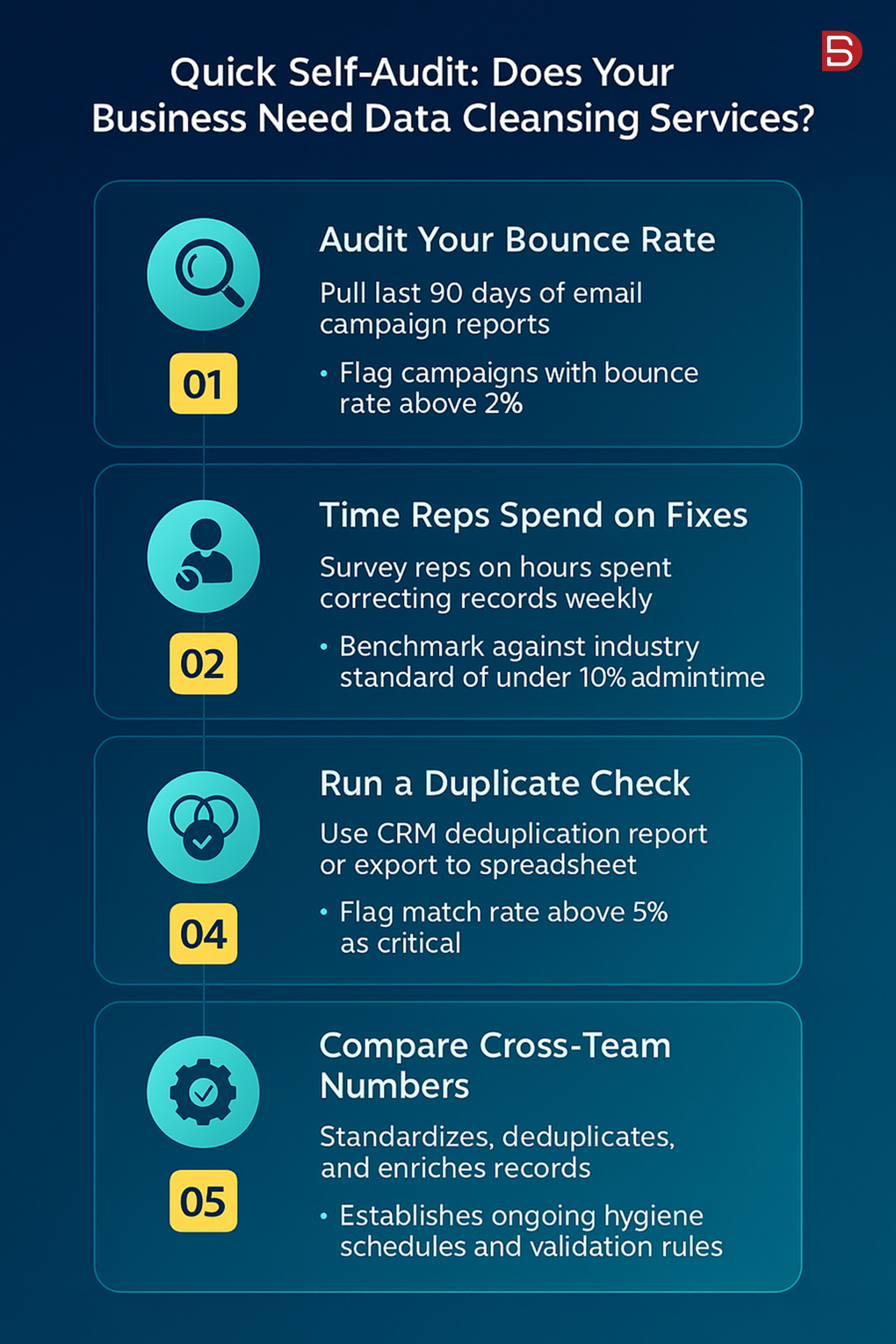
Skip the guesswork. Run a sample audit this week.
Pull 200 contacts last verified six or more months ago. Run them through an email verifier, then spot-check a portion of the titles against current public profiles. Divide the flagged records by your sample size, annualize, and you’ve got a real decay rate. The entire process takes about an hour, yet it provides a far more accurate picture of database health than most dashboard metrics.
Compare your result to the benchmark. According to HubSpot’s Database Decay Simulation, based on MarketingSherpa research, US B2B contact databases decay at a rate of 2.1% per month, compounding to 22.5% per year. (Source: HubSpot/MarketingSherpa.) In practice, that means roughly 1 in 4 records in a typical US B2B database becomes materially inaccurate within twelve months.
If your audit lands near or above 20%, a cleanse is overdue. So what does the data cleansing process actually cover? Verification of emails and phones, deduplication with tuned match rules, field standardization, and enrichment to fill the gaps a cleanse alone can’t.
The honest tradeoff: in-house effort works if you have the discipline and the headcount. Most teams don’t, and the janitorial work bleeds selling time. That’s when specialist data cleansing services earn their keep, especially before a major campaign cycle.
One caution worth repeating: prevention is cheaper than cure. People will always change jobs and companies will always evolve, but you can minimize the impact through continuous verification and enrichment. A one-time scrub buys you a clean baseline. Keeping it clean is the harder, more valuable habit.
Where to go from here
Run the 200-record sample audit first. It costs you an hour and tells you more than any vendor pitch will. If your decay rate tops roughly 20%, that’s your signal to move before the next campaign, not after it underperforms.
At that point, a scoped conversation makes sense. The team at Datamatics Business Solutions can walk you through a targeted cleansing and enrichment pass built to your ICP, with compliant, human-verified processing behind it. No obligation, just a practical look at what your database needs. When you’re ready, reach out and we’ll talk specifics.
- FAQS
Frequently asked questions
1. What are data cleansing services?
Data cleansing services identify and fix inaccurate, incomplete, duplicate, or outdated records in US business databases. This includes removing bounced email addresses, updating job titles, merging duplicate contacts, standardizing formats, and verifying phone numbers.
The goal is a database you can trust for sales, marketing, and reporting. Providers combine automated tools with human review to correct errors your team cannot catch manually, keeping your CRM accurate and actionable over time.
2. How often should US businesses clean their data?
3. How much do data cleansing services cost?
Pricing for US businesses varies widely based on database size, complexity, and the depth of work required. Some providers charge per record, often a few cents to a dollar each, while others offer project-based or monthly retainer pricing. Factors that affect cost include duplicate detection, data enrichment, verification against external sources, and manual review.
Request a sample audit first. A clear scope helps you compare quotes and avoid paying for services your database does not actually need.
4. Can I clean my data myself instead of hiring a service?
Yes, for small databases you can handle basic tasks like removing obvious duplicates, standardizing formats, and deleting bounced emails using built-in CRM tools or spreadsheets.
However, manual cleaning becomes impractical at scale and misses issues like acquired accounts, changed job titles, or invalid phone numbers. Professional services use verification tools and external data sources your team lacks. If data quality is hurting revenue or you have thousands of records, a dedicated service usually pays for itself quickly.
5. What is the difference between data cleansing and data enrichment?
Data cleansing corrects and removes bad information: fixing errors, deleting duplicates, and purging outdated records so your existing data is accurate. Data enrichment adds new information to fill gaps, such as appending company size, industry codes, phone numbers, or updated job titles from external sources.
Cleansing makes your data reliable; enrichment makes it more complete and useful. Many businesses use both together, cleaning first to establish a solid foundation, then enriching to improve targeting and segmentation.